







In this article, we explain several options available in phpMyAdmin for cleaning up your database. This can be useful if you notice that your database is filling up or no longer works as expected.
The options range from checking and optimizing your data, which ultimately saves space, to repairing corrupted tables.
Note: Before making any changes, we strongly recommend keeping a backup of your database on hand. You can download a backup of your database via your control panel, or via phpMyAdmin.
Log in to your database via phpMyAdmin. You can do this via your control panel in the overview of your databases. The article ‘Creating and managing a database’ contains the steps for this.
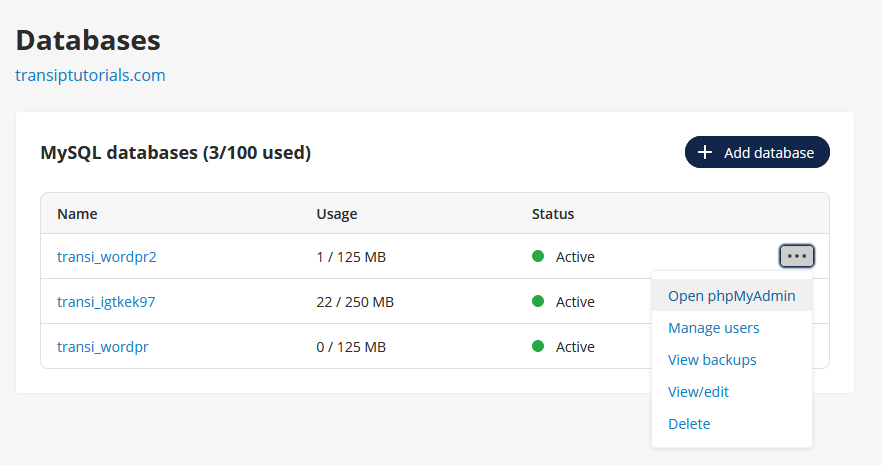
To do this, click the three dots next to your database on the right side of the overview, and then click 'Open phpMyAdmin' to automatically log in to phpMyAdmin.
Below are the main actions you can perform to clean up your database:
- Analyze table: Analyzes the contents, so the size of your data is no longer estimated and the actual size is displayed.
- Check table: Scans the tables for possible errors or corrupted data.
- Checksum table: Converts your data into a short code, which makes it easy to see whether data has changed when you compare it with an earlier version of the database.
- Optimize table: Removes empty spaces from the database, freeing up space.
- Repair table: Attempts to repair corrupted tables by rebuilding the data.
You can perform these actions using SQL commands, but phpMyAdmin has convenient built-in options for these actions that you only need to click:

- Click the name of your database in the top left to open it.
- Then click ‘Check all’ to select all tables in your database.
- Next, click the drop down menu next to it.
- Select the action you want to perform under ‘Table maintenance’. As soon as you select the desired option, it will be executed immediately.
To free up space in your database, we recommend using Analyze table and Optimize table at the very least. You can find more information about this in the article ‘I see a difference in database storage space between MySQL and the actual disk usage in phpMyAdmin’.
Do you notice that your database is filling up because of a plugin? You can often identify this by the name of a table. In many cases, this is a plugin that creates backups. In this case, we recommend checking the settings of your plugin or considering an alternative plugin.