







On 1 September 2019, cPanel made a change to their licensing model, where license fees are calculated based on the number of cPanel accounts on a cPanel/WHM server.
This change will only be implemented on 1 January 2020 for cPanel installations at TransIP.
With the introduction of this new model, it is therefore useful to know how many cPanel accounts are active on your server. You easily check the number of cPanel accounts on your server from WHM, or via command-line, as follows:
Checking the number of cPanel accounts from WHM
Step 1
Log in to WHM.
Step 2
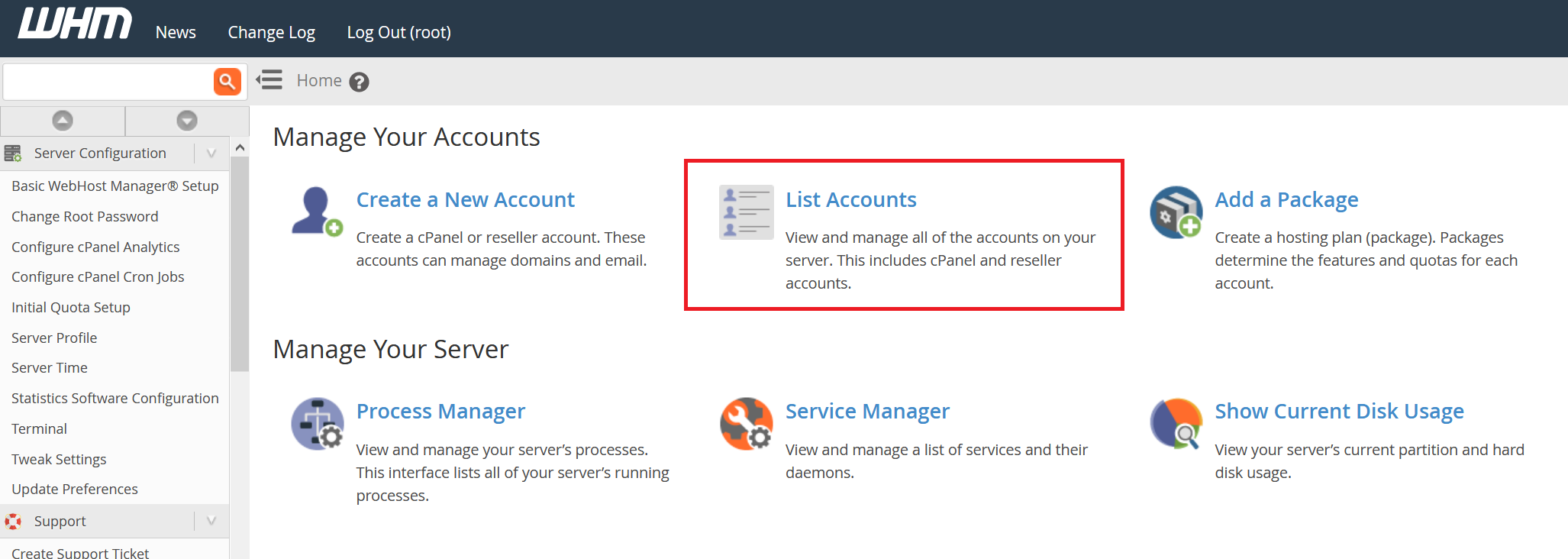
You will automatically enter the 'Manage your accounts' screen. Click 'List accounts' here.
Step 3
You will see an overview of all accounts, as in the example below. The number of cPanel accounts is indicated in the 'Showing all of 2 accounts' section.
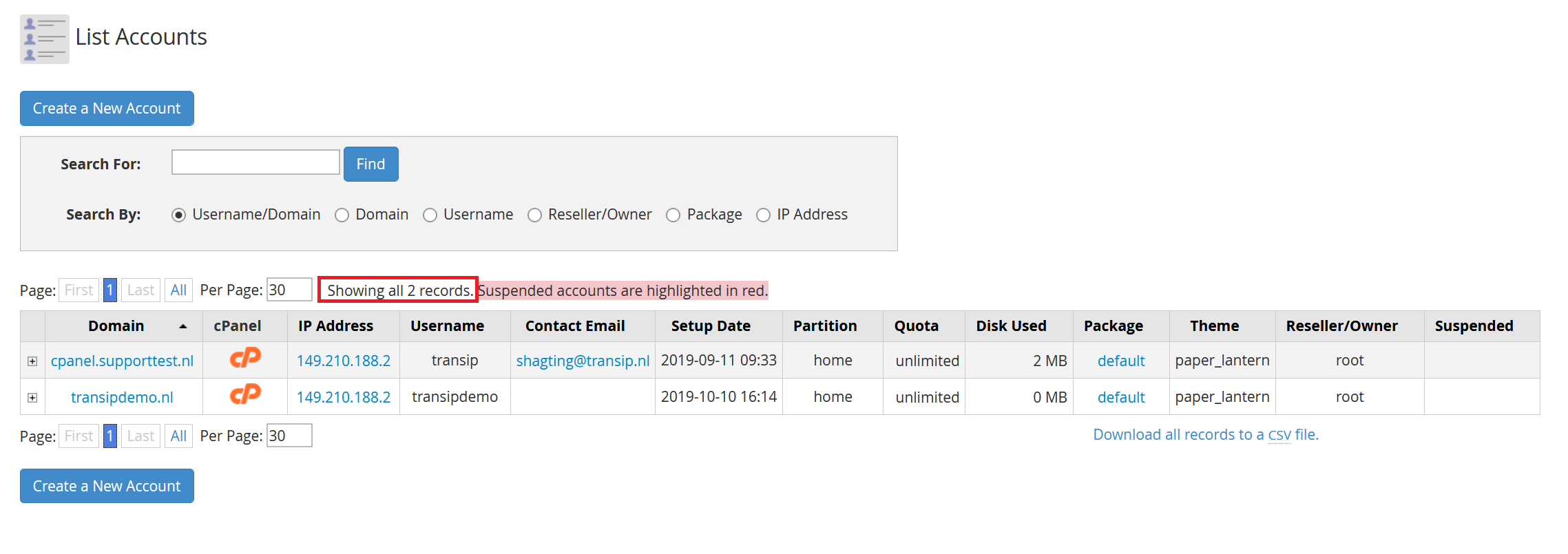
Do you manage more than 30 accounts? Then, you see 'Showing 30 of X accounts' where X is the total number of cPanel accounts.
Checking the number of cPanel accounts via command-line
Step 1
Connect to your VPS via SSH or the VPS console in the TransIP control panel.
Step 2
Check the number of cPanel accounts with the command:
sudo wc -l /etc/trueuserdomains
The output will look like this:
X /etc/trueuserdomainsIn the output, X is the number of cPanel accounts on your cPanel / WHM server.
Should you have any questions left regarding this article, do not hesitate to contact our support department. You can reach them via the ‘Contact Us’ button at the bottom of this page.